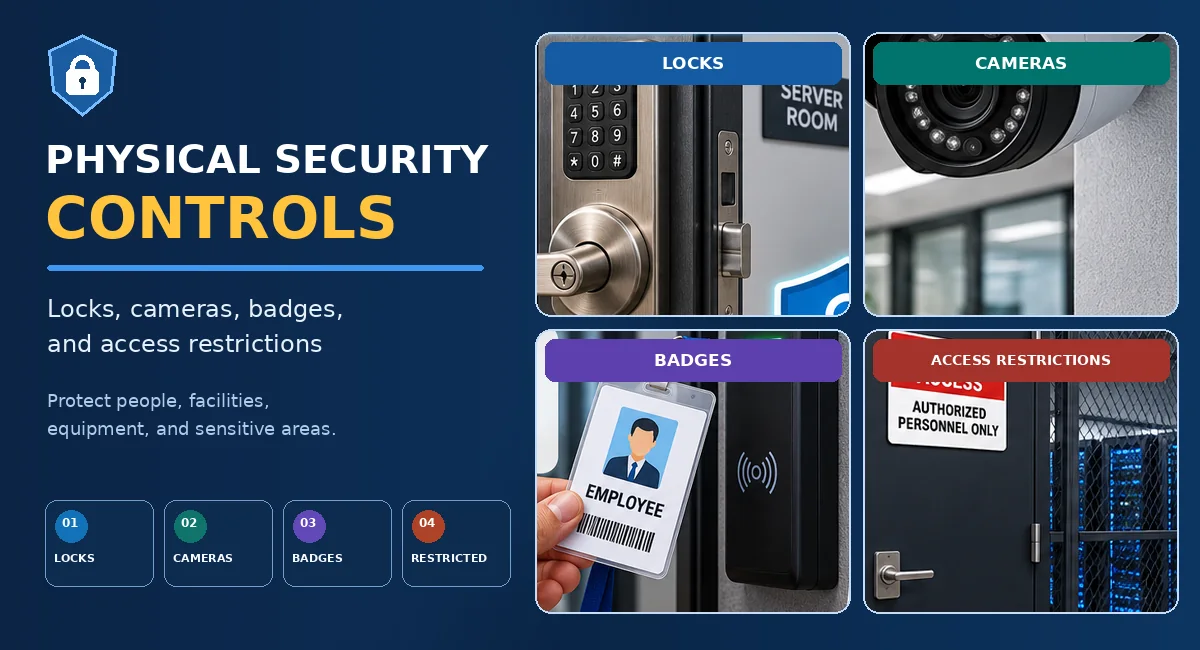
- How physical security protects people, facilities, equipment, and information.
- How locks, electronic access systems, badges, and restricted areas work.
- The purposes and limitations of CCTV, guards, lighting, fences, and bollards.
- How access control vestibules, mantraps, and turnstiles help control entry.
- How infrared, pressure, microwave, and ultrasonic sensors differ.
- How visitor management and anti-tailgating procedures reduce risk.
- How layered physical security controls protect critical assets.
What Are Physical Security Controls?
Physical security controls protect people, buildings, equipment, infrastructure, and physical records against unauthorized access, theft, tampering, damage, and environmental threats. They include barriers, locks, access credentials, cameras, sensors, guards, lighting, and procedures for controlling entry.
Physical security is closely connected to cybersecurity. Someone who reaches a workstation, network cabinet, server room, or backup-storage area may be able to steal equipment, remove storage media, connect unauthorized hardware, or interrupt services. Digital controls alone cannot replace suitable physical protection.
Physical security uses complementary measures to deter, delay, prevent, detect, and respond to unauthorized activity. No single control is effective against every threat.
Why Physical Security Matters
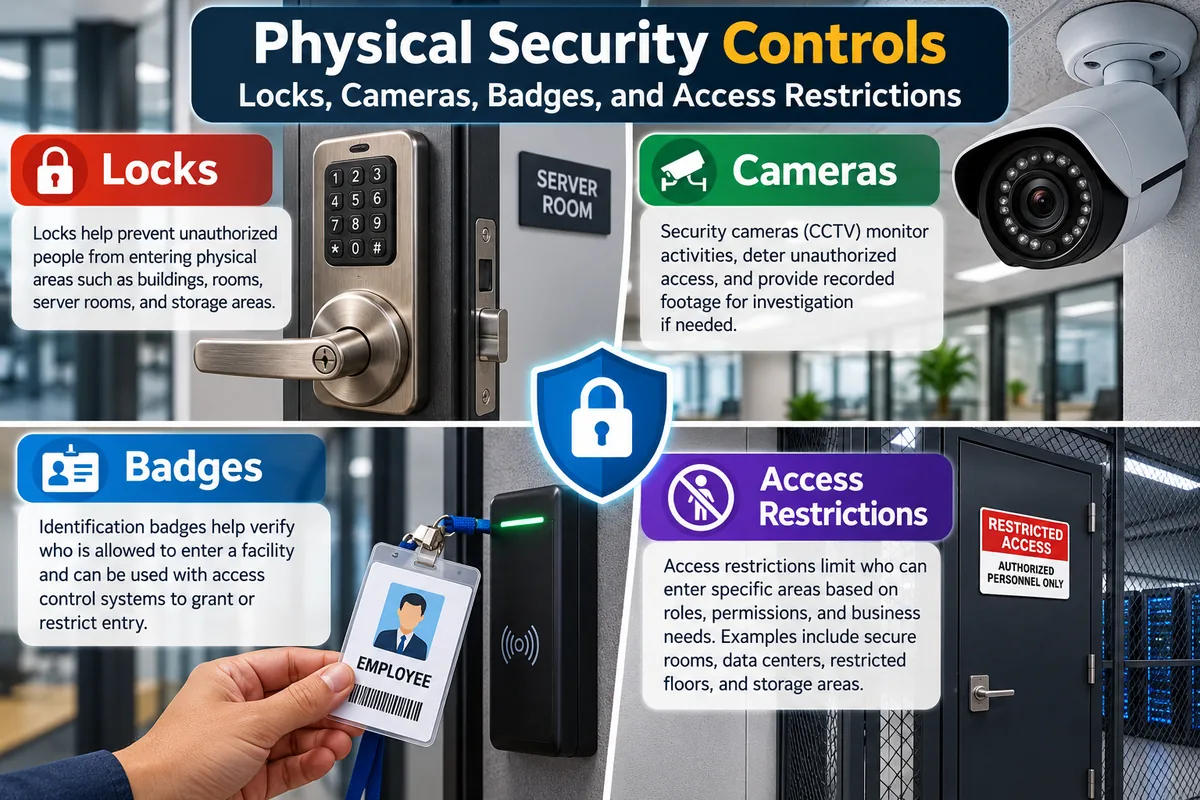
A building may have strong firewalls and encryption but still be vulnerable if an attacker can enter a restricted room or access an unattended device. Physical safeguards help reduce opportunities for unauthorized access, improve visibility, protect critical assets, and support incident investigations.
Unrestricted Physical Access
An unauthorized visitor may reach sensitive equipment, steal devices, attach unauthorized hardware, or interfere with business operations.
Controlled and Monitored Access
Barriers, credentials, surveillance, visitor procedures, sensors, and restricted zones help prevent and detect unauthorized activity.
Core Physical Security Controls — SY0-701 Checklist
CompTIA includes the following examples under Security+ SY0-701 fundamental security concepts, Objective 1.2. Understand what each control does and what it cannot do by itself.
| Control | Main Purpose | Exam Scenario |
|---|---|---|
| Bollards | Restrict or help prevent vehicle access. | Protecting a pedestrian entrance from vehicle intrusion. |
| Access control vestibule | Uses a controlled entry space, often with two doors, to help regulate entry and limit tailgating. | Preventing unauthorized people from following an authorized person into a sensitive facility. |
| Fencing | Defines boundaries, delays entry, and directs movement to controlled gates. | Protecting a site's perimeter. |
| Video surveillance | Monitors activity and may record evidence for investigation. | Reviewing who or what was seen near a loading entrance. |
| Security guard | Performs observation, identity checks, patrols, and response. | Checking visitors and responding to suspicious activity. |
| Access badge | Identifies a credential holder or requests entry through an electronic access system. | Restricting access to a server room by assigned permissions. |
| Lighting | Improves visibility and supports observation and deterrence. | Improving visibility around a perimeter at night. |
| Sensors | Detect movement, presence, pressure, or changes in a monitored area. | Detecting activity where visual monitoring alone is insufficient. |
Locks and Door Controls
Locks and door controls create barriers between authorized and unauthorized areas. Choose them according to the sensitivity of the location, threat model, operational requirements, accessibility needs, and emergency-egress requirements.

| Control | How It Works | Example |
|---|---|---|
| Mechanical lock | Uses a physical key or locking mechanism. | Office door or equipment cabinet. |
| Electronic keypad | Requires an authorized PIN or code. | PIN-controlled storage room. |
| Badge-operated lock | Uses an electronic credential and reader to request access. | Employee entrance or server room. |
| Biometric access | Uses a supported biological characteristic to help verify identity. | A sensitive room requiring additional identity verification. |
| Reinforced door and frame | Improves resistance to forced entry when correctly selected and installed. | Restricted equipment room. |
Lock Security Best Practices
- Use stronger controls for server rooms, network closets, and sensitive storage areas.
- Restrict access to physical keys, PINs, and electronic credentials.
- Change shared codes when required by policy or after suspected exposure.
- Remove or update access when an employee or contractor leaves or changes roles.
- Check that doors close securely and locking mechanisms work as intended.
- Ensure door controls do not compromise emergency exit, fire safety, or accessibility requirements.
A lock restricts entry, but it does not normally record visual activity. Cameras, electronic access logs, alarms, and procedures may provide complementary capabilities.
Fencing, Bollards, and Perimeter Barriers
Fencing
Defines the perimeter, increases the effort required to enter, and guides people toward authorized gates. Fencing may also support the placement of sensors or cameras.
Bollards
Strong posts or barriers positioned to restrict vehicle access to areas such as building entrances, pedestrian zones, or equipment installations.
Gates and Barriers
Guide people or vehicles through designated access points where checks, credentials, or observation can be applied.
Physical barriers should be selected and installed for the risks they must address. Placement must also account for pedestrians, emergency vehicles, accessibility, and normal site operations.
Access Control Vestibules, Mantraps, and Turnstiles
These controls help regulate how people move through entry points. They are particularly useful when an organization needs to reduce tailgating or ensure that each person passes through a controlled access point.
| Control | How It Works | Important Distinction |
|---|---|---|
| Access control vestibule | A controlled entry area between spaces, often involving two doors and an access-control process. | Helps regulate entry and can reduce the opportunity for tailgating. |
| Mantrap | A type of controlled vestibule that commonly uses interlocking doors so the next door is controlled by the system's rules. | Designed for stricter entry control. It should be configured with safety and emergency-egress requirements in mind. |
| Turnstile | Channels people through a designated pedestrian entry point, sometimes integrating with an access reader. | Controls flow, but design and monitoring determine how well it limits following or bypass. |
If an exam question describes one person entering a controlled space at a time using a two-door entry area, an access control vestibule or mantrap is likely relevant. Bollards address vehicle access; fencing addresses the perimeter.
Security Guards and Visitor Management
Security guards provide a human security control. Depending on their training and authority, they may check identification, observe entry points, patrol restricted areas, verify visitor approvals, report suspicious activity, and follow incident-response procedures.
Security Guard Responsibilities
- Verify authorization at controlled entrances.
- Monitor activity and patrol designated locations.
- Follow escalation and incident-reporting procedures.
- Assist with visitor checks and emergency response within their role.
Visitor Management
- Record visitor arrival and departure as required.
- Confirm the host or approval for restricted access.
- Issue appropriate temporary credentials.
- Apply expiry times and escort requirements where needed.
Security Cameras and Video Surveillance
Closed-circuit television (CCTV) and other video surveillance systems monitor selected areas. Depending on the design and configuration, they may provide live views, record footage, or assist later investigations.
Common Applications
- Monitoring entrances, exits, reception areas, loading zones, and perimeter approaches.
- Observing hallways and permitted shared spaces.
- Monitoring approaches to data centers and equipment rooms.
- Reviewing incidents involving unauthorized entry, theft, or damage.
Live Monitoring
Security staff or an approved monitoring system observe activity as it happens and may respond according to established procedures.
Recorded Footage
Stored video may help investigators reconstruct events. Its usefulness depends on camera placement, image quality, lighting, system health, access controls, and retention settings.
Limitations of Surveillance
Cameras do not physically block entry. Blind spots, poor lighting, equipment outages, incorrect recording settings, or inadequate retention can reduce their effectiveness. Camera placement should respect privacy and applicable law or organizational policy.
CCTV is primarily a monitoring and evidence-collection control. Combine it with appropriate barriers, access checks, sensors, guards, and response procedures.
Access Badges and Identification
Identification badges help distinguish employees, contractors, visitors, and other people who enter a facility. Electronic credentials may be presented to access readers, which evaluate the requested entry against configured permissions.

Photo ID Badge
Displays identifying information such as a name, photo, or organizational affiliation. Staff may compare the badge with the person presenting it.
Proximity Card or Smart Card
Communicates with compatible access equipment to request entry. The system checks the credential and associated permissions.
Visitor Badge
Identifies a guest and may support check-in, expiry times, access restrictions, and escort requirements.
Contractor Credential
Can provide time- or location-limited entry for approved third-party personnel.
Badge Management Best Practices
- Issue credentials only after required identity and authorization checks.
- Assign permissions according to job responsibilities and business need.
- Set expiry times for visitors and contractors when appropriate.
- Report lost badges and revoke or disable them as required by policy.
- Review access after role changes, contract termination, or departure.
- Use visitor sign-in and escort procedures where required.
A badge identifies or authenticates a credential, not necessarily the human physically holding it. A badge may be lost, stolen, shared, expired, or used by someone whose permissions have changed.
Lighting as a Physical Security Control
Lighting improves visibility around building entrances, parking areas, pathways, gates, loading docks, and perimeter boundaries. It can help guards observe activity, improve camera footage, support safe movement, and discourage some unauthorized activity.
Security Benefits
- Reduces dark areas around critical entrances.
- Improves visibility for guards and cameras.
- Helps identify movement around access points.
- Can act as a deterrent when deployed appropriately.
Limitations and Maintenance
- Lighting alone does not physically prevent entry.
- Failed lamps can create new blind spots.
- Glare or poor placement can impair observation.
- Lighting needs should be reviewed with camera coverage and site safety.
Physical Security Sensors
Physical security sensors detect movement, presence, pressure, or changes in a monitored space. CompTIA specifically names four sensor types for this objective: infrared, pressure, microwave, and ultrasonic. Know the basic operating principle of each one and recognize it from a scenario.
| Sensor Type | Basic Principle | Typical Example or Clue |
|---|---|---|
| Infrared | Detects infrared energy or changes in thermal patterns. Passive infrared (PIR) sensors commonly sense changes associated with moving warm bodies. | A motion detector activates when someone moves through a monitored area. |
| Pressure | Detects force or weight applied to a sensing surface. | A pressure-sensitive mat detects a person stepping into a restricted area. |
| Microwave | Uses microwave signals and detects changes in returned signals to identify movement or presence. | A motion detector monitors a protected area using reflected microwave energy. |
| Ultrasonic | Uses high-frequency sound waves and detects changes in the returning signal. | A sensor detects movement or presence through changes in ultrasonic reflections. |
Infrared = infrared energy; pressure = force or weight; microwave = microwave signal reflections; ultrasonic = high-frequency sound reflections. Real-world performance depends on sensor design, placement, environment, and configuration.
Choosing and Maintaining Sensors
Sensor selection should fit the protected area and expected threat. Consider coverage, possible false alarms, environmental conditions, maintenance, connectivity, power, and how an alert reaches someone who can respond. A sensor that detects an event but generates no usable alert or response may provide limited security value.
Tailgating and Piggybacking
Tailgating commonly describes an unauthorized person following an authorized person through a controlled entrance without the authorized person's knowing consent. Piggybacking is often used when an authorized person knowingly or mistakenly permits another person to enter with them. Terminology can vary among organizations and training materials.
Following Through an Entry
A door opens for an authorized badge holder, and another person enters without presenting their own valid credential or satisfying the entry policy.
Verify Each Entry
Credential use, awareness, visitor procedures, controlled-entry designs, and monitoring can reduce opportunities for unauthorized entry.
How Organizations Reduce the Risk
- Train employees not to allow unknown people through controlled doors without authorization.
- Require visitors to check in and follow applicable escort procedures.
- Use vestibules, mantraps, turnstiles, door monitoring, or guards where justified by risk.
- Investigate repeated access anomalies according to policy.
- Provide a safe way to report concerns without requiring employees to place themselves in danger.
Layered Physical Security and Defense in Depth
Defense in depth uses multiple complementary controls rather than relying on a single safeguard. If one control fails or is bypassed, another may stop an attacker from reaching a critical asset or help detect the incident.
Fences, lighting, signs, gates, sensors, and controlled vehicle access define the outer boundary.
Reception, guards, locks, badge readers, visitor checks, and vestibules regulate entry.
Additional authorization, escorts, sensors, and monitoring protect sensitive rooms and areas.
Locked racks, cabinets, inventory controls, and monitoring protect specific equipment.
The right combination depends on asset value, likely threats, facility layout, operating needs, safety, accessibility, privacy obligations, and the consequences of unauthorized access.
Real-World Scenario: Protecting a Server Room
Scenario
An organization stores production servers and network equipment in a restricted room. Employees have different access requirements, contractors sometimes perform maintenance, and security staff need to investigate suspicious access events.
The organization uses a locked entrance, individual access badges, a visitor check-in procedure, and time-limited contractor credentials. A guard verifies visitors, cameras cover appropriate entry areas, and access logs record credential events. Lighting improves visibility near the entrance, while sensors protect selected perimeter locations. Additional locks protect equipment racks.
Security lesson: Locks restrict entry, badges support access decisions, guards enforce procedures, cameras provide visibility, sensors can detect activity, and logs support investigation. These safeguards provide stronger protection when coordinated.
Common Physical Security Misconceptions
Security+ SY0-701 Exam Strategy
Read the purpose described in the scenario. Recording activity points to video surveillance. Restricting vehicle access points to bollards. Detecting a change in infrared energy points to an infrared sensor. Preventing unauthorized following through a secured entrance points to an access control vestibule or an appropriate anti-tailgating design.
Practice Questions
12 scenario-based questions. Expand each card to reveal the answer and explanation.
Exam Quiz
Lesson 01.6 — Physical Security Controls · 20 questions · 10 minutes
Physical Security — Exam Simulation
Test your understanding of locks, surveillance, badges, entry controls, guards, lighting, barriers, sensors, and layered physical security.
20 Questions
Physical security
10 Minutes
Timed simulation
Instant Feedback
Explanation per answer
Answer Review
Score and corrections
Lesson 01.6 — Summary
Physical Security Controls: Locks, Cameras, Sensors, and Access Restrictions · Domain 1.0 — General Security Concepts · 12% of SY0-701
Key Takeaways
| Control | Purpose | Exam Clue |
|---|---|---|
| Bollards | Restrict vehicle access | Vehicle intrusion into a pedestrian area |
| Access Control Vestibule | Regulate entry through a controlled space | Reduce tailgating or control passage |
| Fencing | Define and protect boundaries | Perimeter security |
| Video Surveillance | Observe or record activity | Visual monitoring and investigation |
| Security Guard | Observe, verify, patrol, and respond | Human monitoring or access check |
| Access Badge | Present an identity or access credential | Entry permissions and revocation |
| Lighting | Improve visibility and support deterrence | Dark perimeter or poor camera visibility |
| Infrared Sensor | Detect infrared energy or thermal changes | PIR motion detector |
| Pressure Sensor | Detect force or weight | Pressure-sensitive mat |
| Microwave Sensor | Detect movement through microwave-signal changes | Reflected microwave energy |
| Ultrasonic Sensor | Detect movement through high-frequency sound | Returning ultrasonic signal |
Exam Tips — Lesson 01.6
- Memorize the physical security examples named in SY0-701 Objective 1.2.
- Differentiate bollards (vehicles), fencing (perimeter), and vestibules (controlled entry).
- Cameras and lights do not replace physical access restrictions.
- Understand badge management, visitor checks, guard responsibilities, and access-log limitations.
- Know infrared, pressure, microwave, and ultrasonic sensor principles.
- Defense in depth combines complementary controls at the perimeter, building entry, restricted zone, and critical asset.
Common Pitfalls
Security+ SY0-701 — Exam Domains
Security Frameworks is a supplemental guide, not a numbered lesson in this sequence.