
CCNA
Cisco Certified Network Associate certification resources
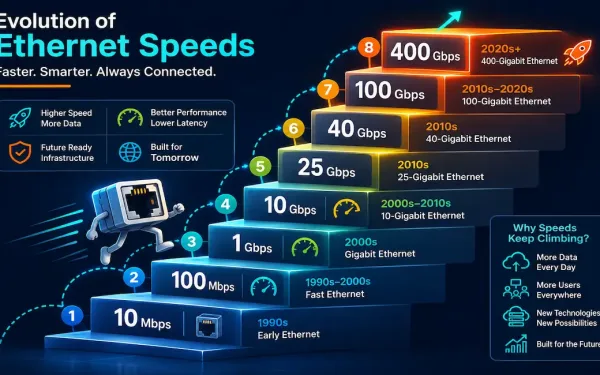
Ethernet Standards Explained: From 10 Mbps to 400 Gbps
Ethernet has been the dominant wired LAN technology for decades, and it’s kept that position by continuously scaling to meet new bandwidth demands rather than being displaced by a competing technology. This guide walks through the major Ethernet standards, from the original 10 Mbps specification through today’s 400 Gigabit Ethernet, what cabling each one needs,...
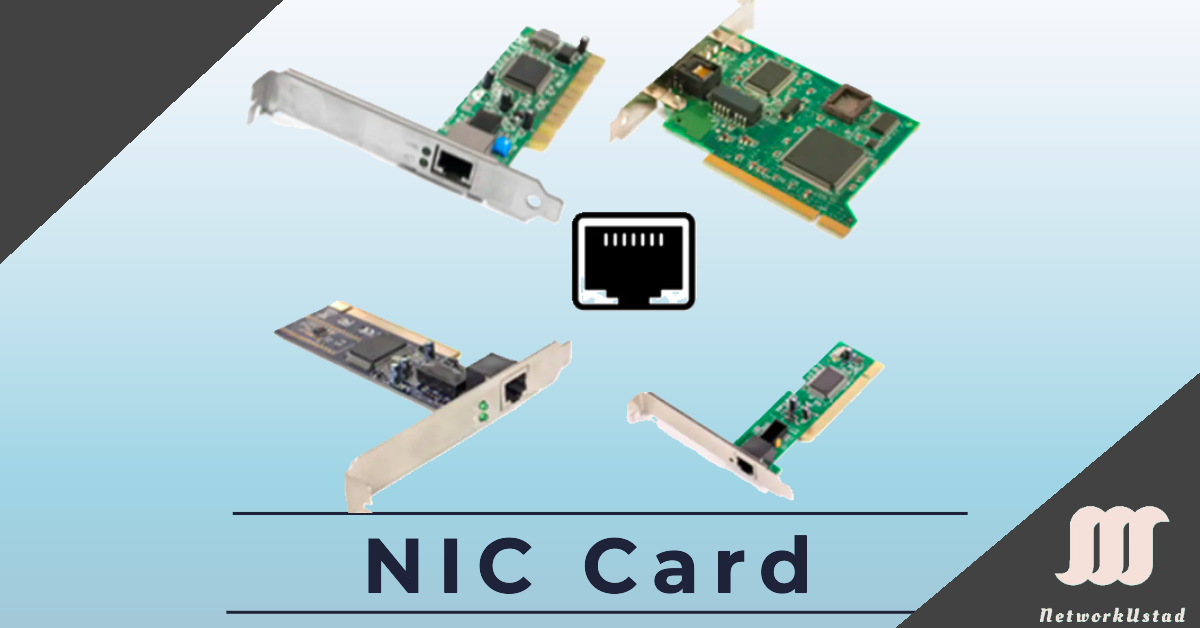
Network Interface Card (NIC) and Ethernet: A Complete Guide
A Network Interface Card (NIC), also known as an Ethernet card or network adapter, is the hardware component that lets a computer connect to a network — whether a home network or the wider internet — using an Ethernet cable with an RJ-45 connector or wireless technology. The NIC provides a dedicated connection to the...
Framing in the Data Link Layer
Data-link layer framing is a critical process in networking that enables reliable data transmission across diverse media. The data-link layer takes packets from the Network Layer and encapsulates them into frames, the fundamental data units for network communication. If a packet is too large for a single frame, it may be divided into smaller frames...
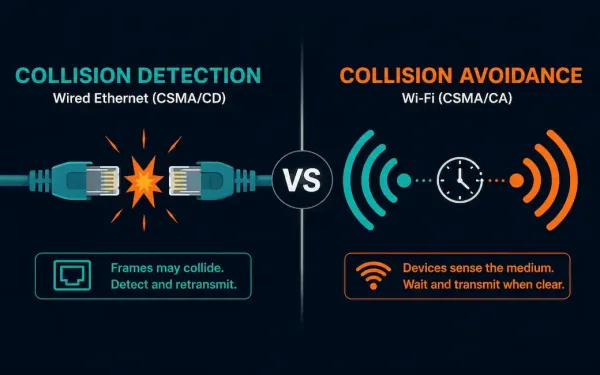
Carrier Sense Multiple Access (CSMA) Explained
Carrier Sense Multiple Access (CSMA) is the family of media access control protocols behind both Ethernet’s collision handling and Wi-Fi’s collision avoidance. The core idea is simple: before a device transmits, it listens to the shared medium first, checking whether it’s clear. What each device does next, detect a collision after it happens, or actively...
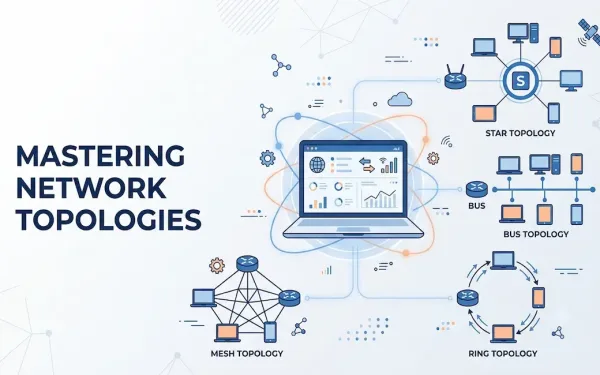
Understanding Network Topology: A Comprehensive Guide
Network topology defines the schematic arrangement of devices, nodes, and connections within a computer network. It determines how data flows between devices, directly affecting performance, scalability, and reliability. Topologies are broadly categorized into physical network topology, the tangible layout of cables and devices, and logical network topology, the virtual path that data actually travels. Understanding...
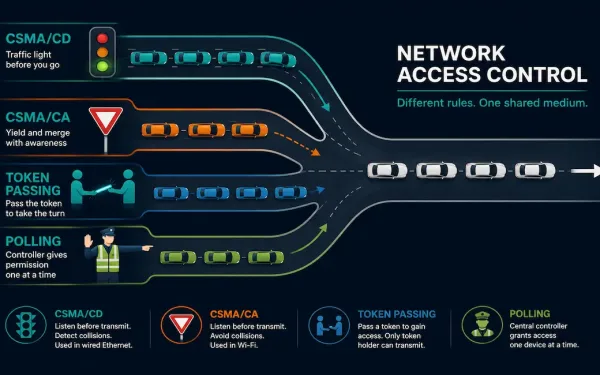
Media Access Control Methods Explained: CSMA/CD, CSMA/CA, Token Passing, and Polling
Whenever more than one device shares a physical network medium, something has to decide who gets to transmit and when. That’s the job of a Media Access Control (MAC) method: a set of rules, implemented at the data link layer, that governs how devices gain and control access to shared network media. Without one, two...
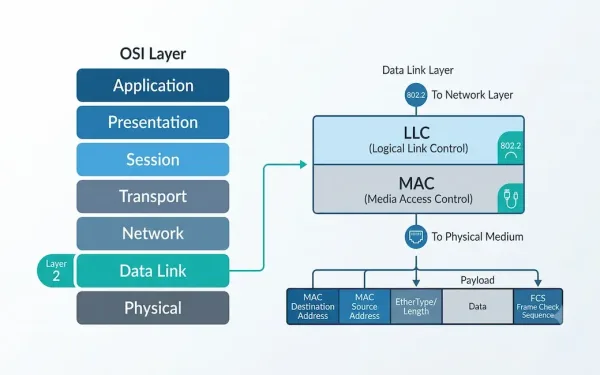
What Is the Data Link Layer? A Complete Guide to OSI Layer 2
The Data Link Layer is the second layer of the OSI model, and it plays a critical role in how devices communicate across a network. Sitting between the physical layer below and the network layer above, it is responsible for reliable node-to-node delivery of data over a physical link. This guide explains what the Data...
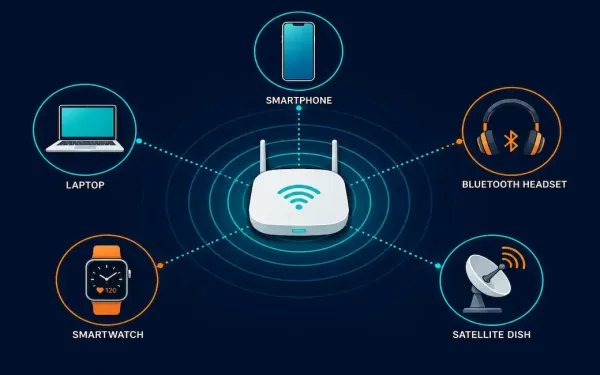
Wireless Media Explained: Wi-Fi, Bluetooth, WiMAX, and Cellular
Wireless media carries data through radio frequency (RF) signals instead of a physical cable. It’s the technology behind Wi-Fi, Bluetooth, cellular networks, satellite internet, and dozens of other everyday connections, from cordless keyboards to GPS receivers. This guide covers how wireless media actually works at the physical and data link layers, the main standards you’ll...
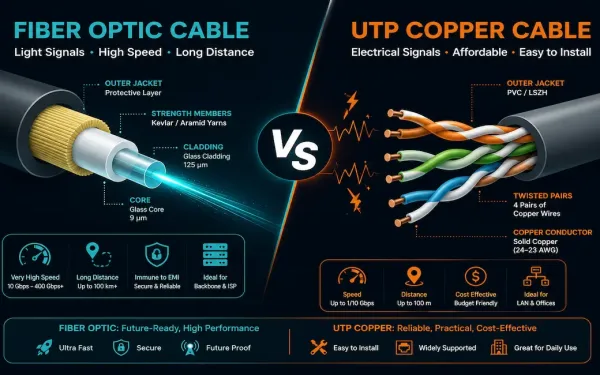
Fiber vs Copper Cabling: How to Choose the Right One
Fiber optic and copper cabling solve the same basic problem, getting data from one point to another, in fundamentally different ways. Neither one is universally “better.” Each makes a different set of tradeoffs around bandwidth, distance, cost, and installation complexity, and the right choice depends entirely on what you’re building. This guide breaks down exactly...
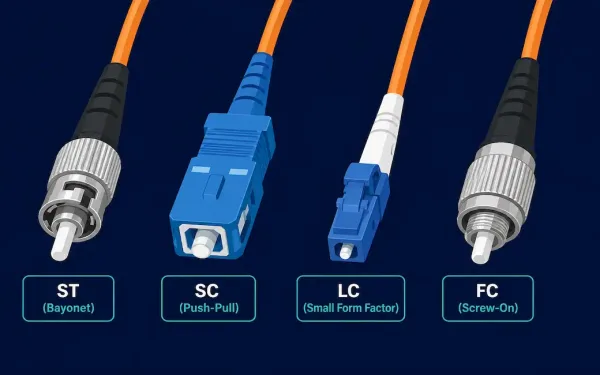
Fiber Optic Connectors Explained: ST, SC, LC, and FC Types
Fiber optic connectors terminate the ends of an optical fiber and let it plug into a port, patch panel, or another fiber run. Dozens of connector types exist, but the differences that actually matter for day-to-day work come down to three things: ferrule size, mating mechanism, and how much loss the connector introduces at the...