Asad Ijaz
Lead Networking Architect and Editor at NetworkUstad. BS in Computer Networks and Security, CCNP and CCNA certified, with 11+ years of experience in enterprise network design, implementation, and troubleshooting. Writes practical tutorials on routing, IPv4 management, network automation, and security fundamentals.
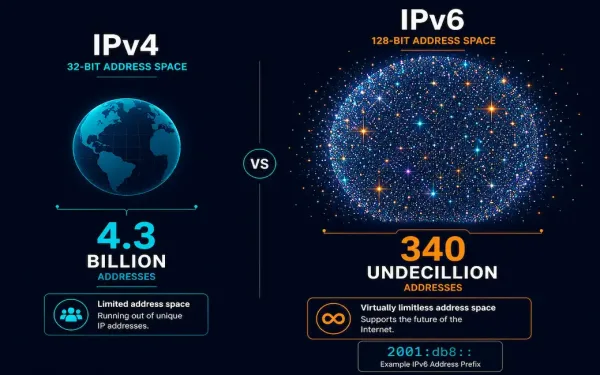
Introduction to IPv6 Addresses
IPv6 was developed by the IETF specifically to overcome IPv4’s limitations, most notably its exhausted address space, while also cleaning up several architectural inefficiencies IPv4 had accumulated over decades of patches and workarounds. This guide covers IPv6’s address structure, its three address types, and the concrete advantages and tradeoffs that come with adopting it. Just...
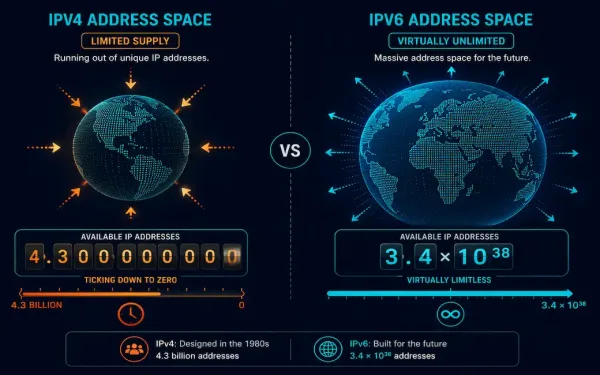
The Limitations of IPv4: Why the Internet Needed IPv6
When IPv4 was defined in RFC 791 back in 1981, nobody designing it anticipated that the internet would eventually connect billions of devices worldwide. That original design has been patched and extended repeatedly over the decades since, but several fundamental limitations remain baked into IPv4’s architecture. This guide covers exactly what those limitations are, why...
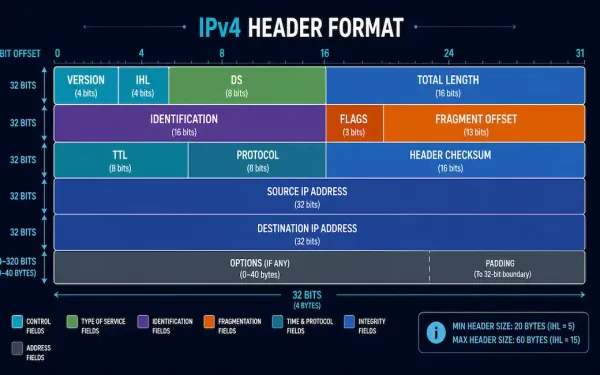
The IPv4 Packet Header: Every Field Explained
The IPv4 packet header is what actually carries a packet across a network: source and destination addressing, fragmentation information, and everything a router needs to make a forwarding decision, all packed into a compact 20-to-60-byte structure. This guide breaks down every field in the header, what each one actually does, and how the whole thing...
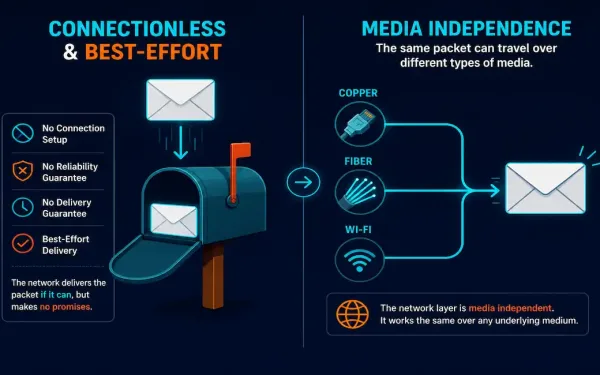
Characteristics of IP: Connectionless, Best-Effort, and Media Independent
The Internet Protocol has three defining characteristics that shape how every IP-based network actually behaves: it’s connectionless, it provides best-effort (unreliable) delivery, and it’s media independent. Understanding these three properties explains a lot about why the internet is architected the way it is, and why so much responsibility for reliability gets pushed up to higher...
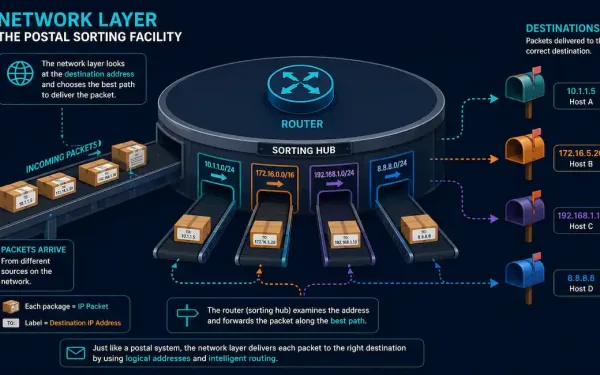
The Network Layer: Functions and Protocols Explained
The network layer, Layer 3 of the OSI model, is responsible for one core job: delivering packets from a source device to a destination device across multiple interconnected networks. It defines the packet structure and the processing needed to carry data from one host to another, routing that data through whatever intermediate networks stand between...
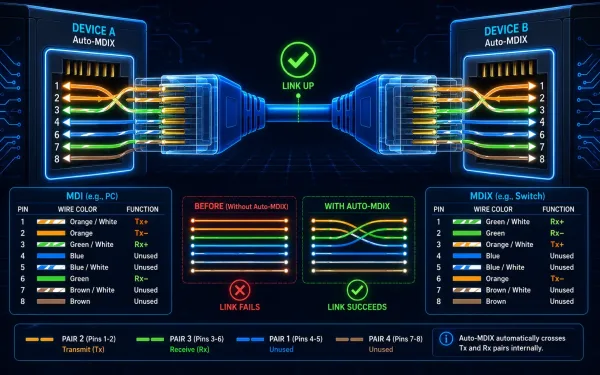
Auto-MDIX on Cisco Devices: How It Works and How to Configure It
The port on a workstation, laptop, or server is called MDI (Media Dependent Interface). The port on a network switch, by contrast, is traditionally MDIX (Media Dependent Interface with Crossover). This distinction exists because someone has to “cross” the transmit and receive pairs somewhere in the connection, and historically, that job fell to whichever end...
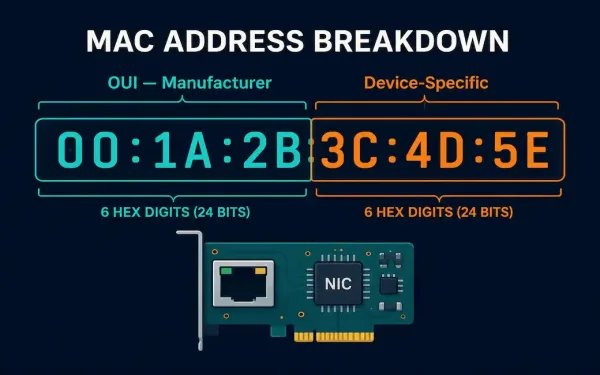
MAC Addresses Explained: Structure, Format, and How to Find Yours
A MAC address, short for Media Access Control address, is a worldwide unique identifier assigned to a network interface controller. It’s also called a hardware address or physical address, and it’s what allows communication within a local network segment. Most IEEE 802 network technologies, including Ethernet, Wi-Fi, and Bluetooth, rely on MAC addresses for this...
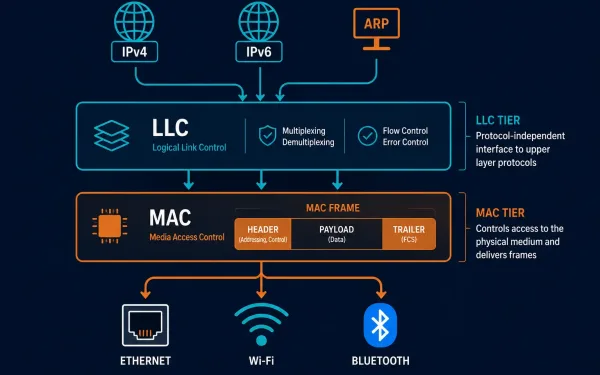
LLC and MAC Sublayers: What Each One Actually Does
The Data Link Layer, Layer 2 of the OSI model, splits into two distinct sublayers, and understanding exactly where the line falls between them clears up a lot of confusion about how Layer 2 actually works. The Logical Link Control (LLC) sublayer talks to the Network Layer above it; the Media Access Control (MAC) sublayer...
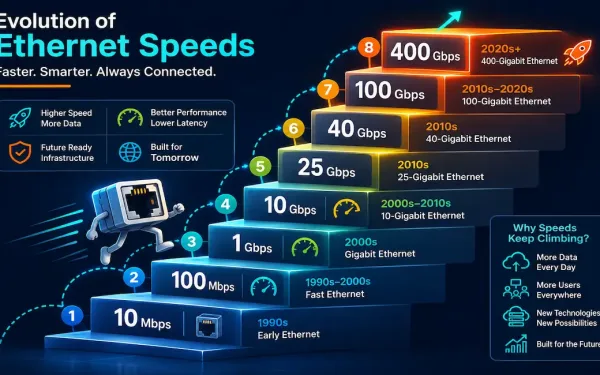
Ethernet Standards Explained: From 10 Mbps to 400 Gbps
Ethernet has been the dominant wired LAN technology for decades, and it’s kept that position by continuously scaling to meet new bandwidth demands rather than being displaced by a competing technology. This guide walks through the major Ethernet standards, from the original 10 Mbps specification through today’s 400 Gigabit Ethernet, what cabling each one needs,...
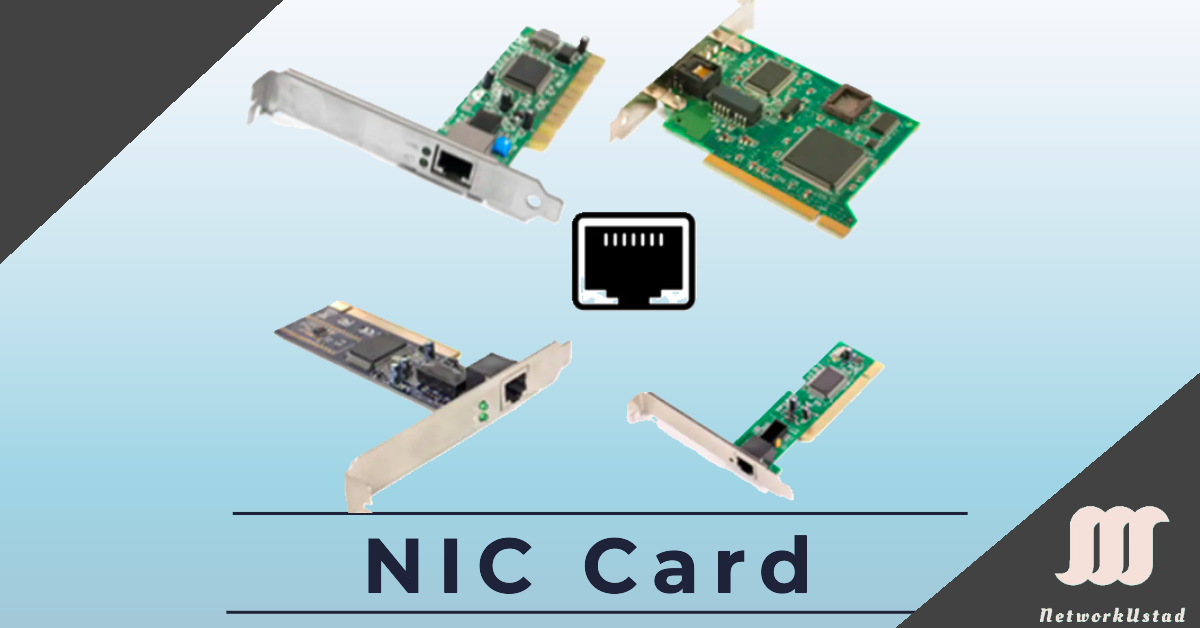
Network Interface Card (NIC) and Ethernet: A Complete Guide
A Network Interface Card (NIC), also known as an Ethernet card or network adapter, is the hardware component that lets a computer connect to a network — whether a home network or the wider internet — using an Ethernet cable with an RJ-45 connector or wireless technology. The NIC provides a dedicated connection to the...