Asad Ijaz
Lead Networking Architect and Editor at NetworkUstad. BS in Computer Networks and Security, CCNP and CCNA certified, with 11+ years of experience in enterprise network design, implementation, and troubleshooting. Writes practical tutorials on routing, IPv4 management, network automation, and security fundamentals.
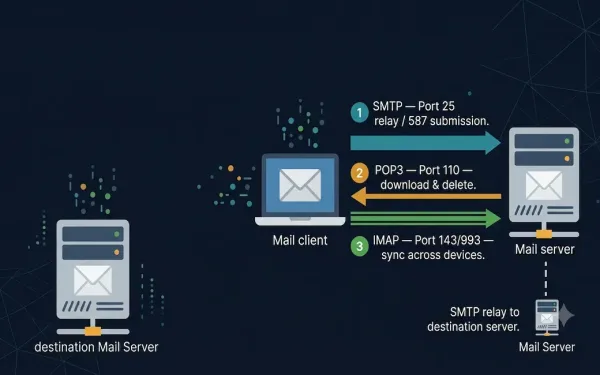
Email Protocols: SMTP, POP3, and IMAP
Email is one of the primary services running on the internet. The email server stores email messages in a database, and email uses a store-and-forward method for sending and holding messages. Email clients communicate with servers running mail services to send and receive email, and the client-connected server in turn communicates with other mail servers...
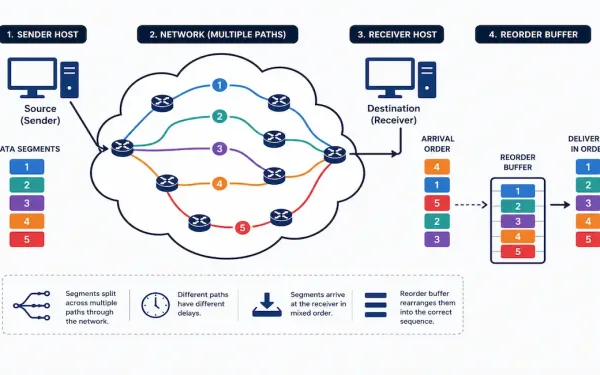
TCP Reliability and Flow Control Explained
TCP takes data from an application, breaks it into segments, wraps each one in a header, and hands it off to IP for delivery across the network. None of that guarantees the segments arrive in order, or that they arrive at all. Reliability and flow control are the two mechanisms that turn an unreliable network...
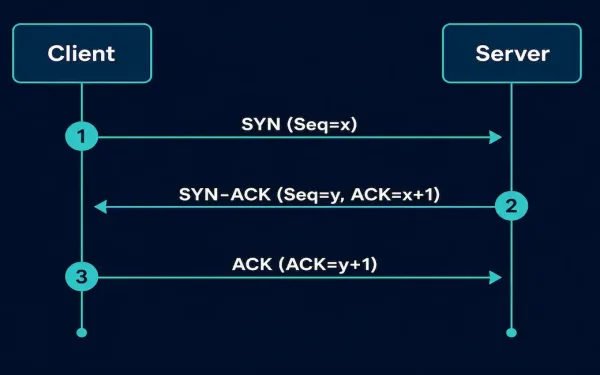
TCP 3-Way Handshake: How It Works and Why It Matters
Every reliable TCP connection starts the same way: three packets, exchanged in a fixed sequence, before a single byte of real data moves. This is the TCP 3-way handshake, and it’s one of the most fundamental mechanics in networking. Understanding it isn’t just an exam requirement — it’s the foundation for reading packet captures, diagnosing...
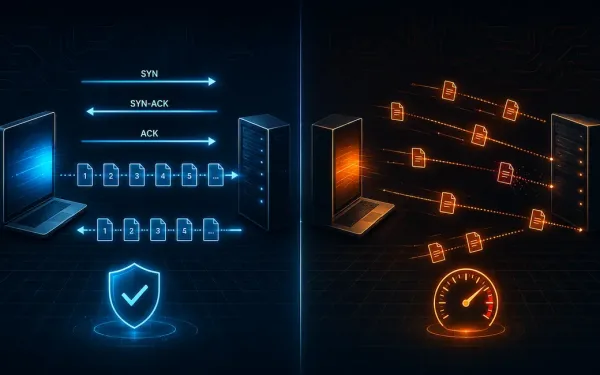
TCP vs UDP: Transport Layer Protocols Explained
TCP and UDP are the two primary transport layer protocols handling data communication between hosts on an IP network. TCP is connection-oriented; UDP is connectionless. That single distinction cascades into almost every other difference between them — reliability, ordering, flow control, and overhead all follow from that one design choice. TCP: Connection-Oriented and Reliable Transmission...
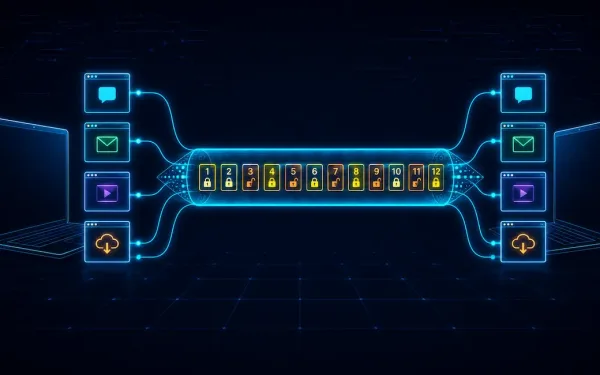
The Transport Layer Explained: Process-to-Process Delivery, TCP, UDP, and Beyond
We routinely run multiple applications on a single device at once — a browser, an email client, a video call — and each needs its data delivered to the right place without interference from the others. The transport layer, Layer 4 of the OSI model, is what makes this possible: it accepts data from the...
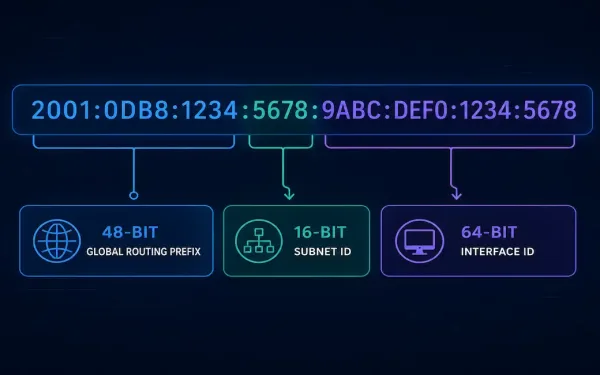
IPv6 Subnetting Explained: Structure, Worked Examples, and Best Practices
IPv6 subnetting works differently from IPv4 subnetting. There is no address shortage to manage, so the goals change. Instead of squeezing every possible host out of a block, IPv6 subnetting is about building a clean addressing hierarchy. This guide walks through the address structure, a full worked example, LAN and WAN allocation, and the troubleshooting...
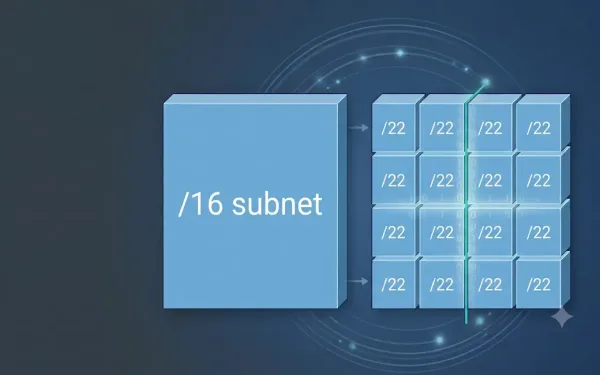
Subnetting Example with a /16 prefix – Exclusive How To Guide
In many situations, we require a large number of subnets. For example, the class B network address 130.20.0.0 has a default mask of 255.255.0.0 or /16 Prefix. So, this address has 16 network bits in the network portion and 16 host bits in the host portion. The 16 bits in the host portion are available...
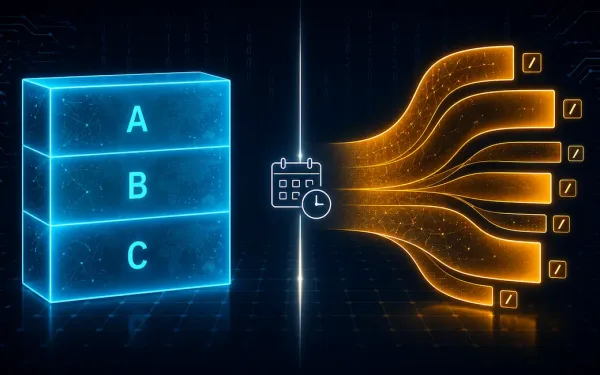
Classful vs. Classless Addressing: What’s the Difference?
Classful and classless addressing describe two different ways to structure an IPv4 address. Classful addressing came first, in the early internet of the 1980s. It used fixed Class A, B, and C ranges. That rigid structure eventually led to serious IPv4 address exhaustion. CIDR arrived in 1993 and introduced classless addressing instead, allowing flexible prefixes...
Introduction to Subnetting: How and Why to Divide a Network
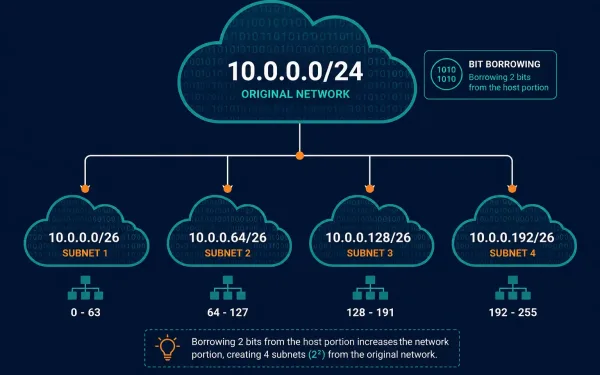
Subnetting lets a network administrator divide a large network into smaller, more manageable sub-networks by borrowing bits from the host portion of an IP address. Rather than running one enormous flat network, subnetting adds a third level to the addressing hierarchy, network, subnetwork, and host, giving administrators far more control over how a network actually...
Ping and Traceroute: The Essential Network Troubleshooting Toolkit
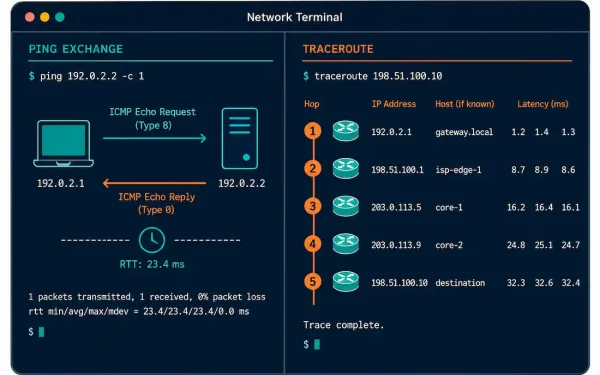
Ping and traceroute are the first tools most network engineers reach for when something isn’t working. Both rely on ICMP, but they answer different questions: ping tells you whether a destination is reachable at all, while traceroute maps out exactly which hops a packet passes through along the way. This guide covers both in depth,...