Muhammad Khattak
Routing and switching specialist, CCNA certified, with extensive experience in network configuration and troubleshooting. Covers OSPF, EIGRP, VLAN management, and advanced routing concepts.
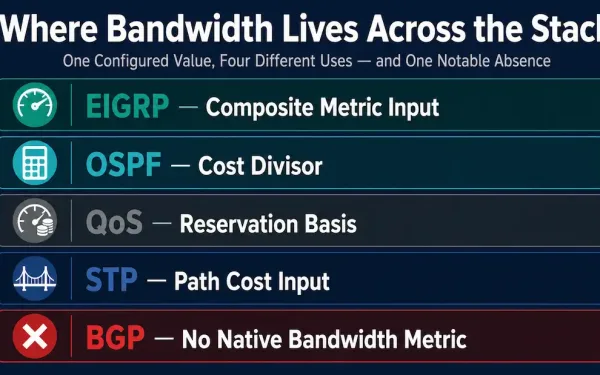
Bandwidth Metric: How Routing Protocols and QoS Use It
A network engineer stares at a traceroute that defies logic — traffic flows across a 10 Mbps satellite link while a 1 Gbps fiber path sits idle. The root cause isn’t a hardware fault. It’s a misconfigured bandwidth metric. Across every major routing protocol and QoS framework, the bandwidth metric quietly dictates which path packets...
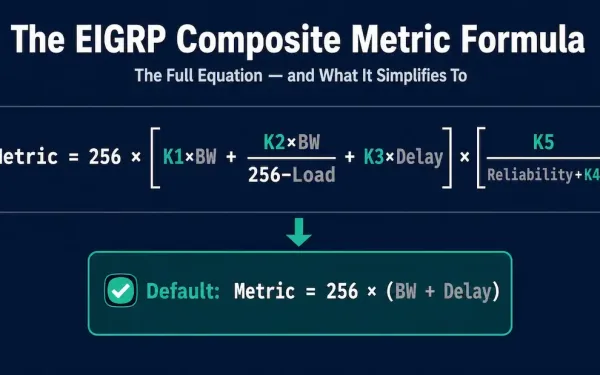
EIGRP Composite Metric: The Formula, K-Values, and a Worked Example
A composite metric is a single number calculated from several different path characteristics, used to determine the preferred route to a destination. EIGRP uses bandwidth and delay by default, but the formula technically accounts for two additional factors — load and reliability — that are available but not recommended for typical use. This guide covers...
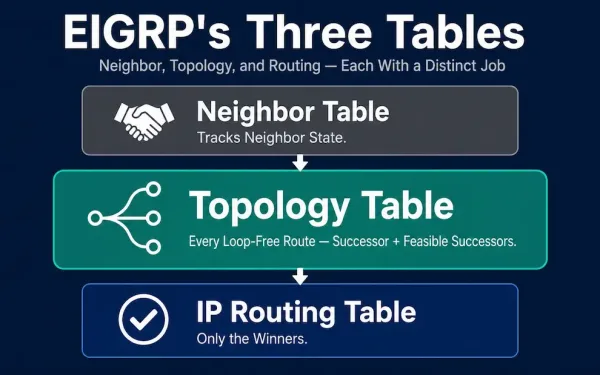
EIGRP Topology Table: Successors, Feasible Successors, and How It’s Built
EIGRP maintains three tables on every router: a neighbor table, a topology table, and an IP routing table. The neighbor table tracks the state of directly connected EIGRP neighbors. The topology table is where the real decision-making material lives — it stores every route each neighbor has advertised, not just the winner. This guide covers...
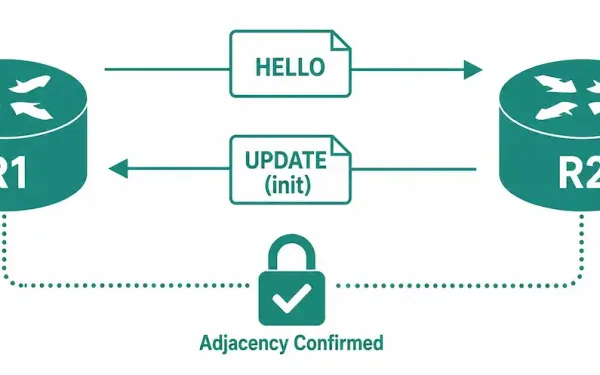
Introduction to EIGRP Neighbor Adjacencies
Before exchanging any EIGRP update packets between routers, EIGRP must first discover its neighbor. An EIGRP neighbor is an adjacent router running EIGRP on a directly connected network. EIGRP hello packets are used both to establish new neighbor adjacencies and to maintain existing ones — hellos don’t stop once the adjacency is up; they continue...
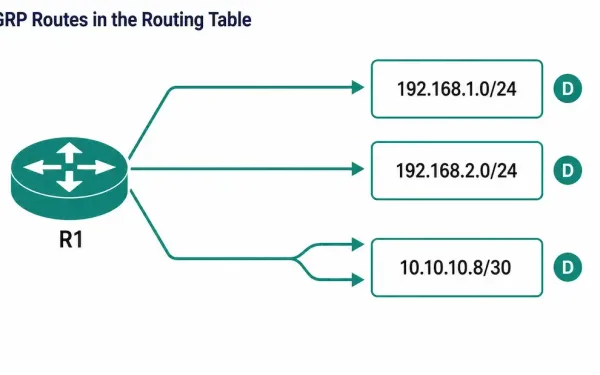
Examine EIGRP in the Routing Table
Once EIGRP neighbors are up and exchanging routes, the next verification step is confirming those routes actually made it into the router’s routing table — not just the topology table. The show ip route command is the tool for this: it displays the complete routing table, including remote networks learned dynamically, directly connected networks, and...
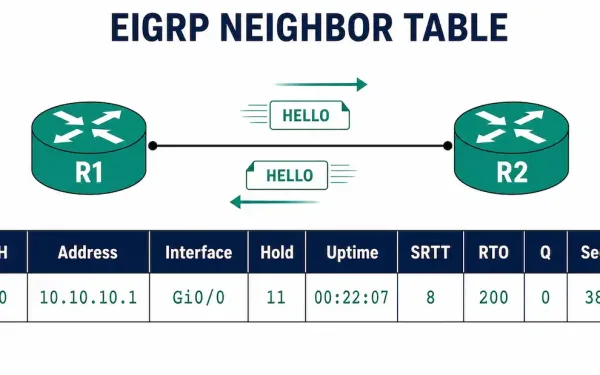
Introduction to EIGRP Neighbors
EIGRP-enabled routers establish neighbor adjacencies with other EIGRP-enabled routers by exchanging EIGRP hello packets. Without a neighbor adjacency, two routers cannot send or receive any EIGRP updates between them — no routes, no topology information, nothing. This is why neighbor formation is the first thing to check whenever EIGRP routes aren’t showing up where you...
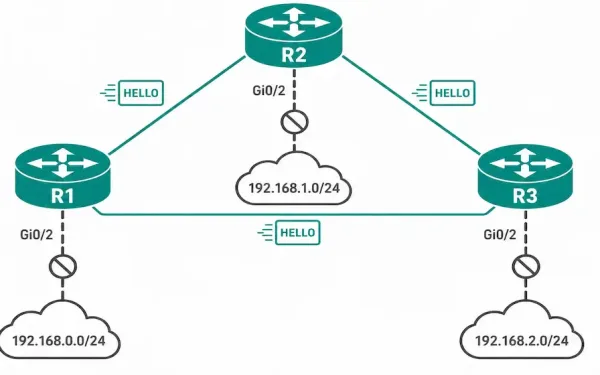
How to Configure EIGRP Passive-Interface
A passive interface is a feature used across routing protocols that stops routing updates from being sent and received on a specific interface, though the exact mechanics vary from one protocol to another. In EIGRP specifically, configuring the passive-interface command stops the router from sending outgoing hello packets on that interface. Because EIGRP neighbor adjacencies...
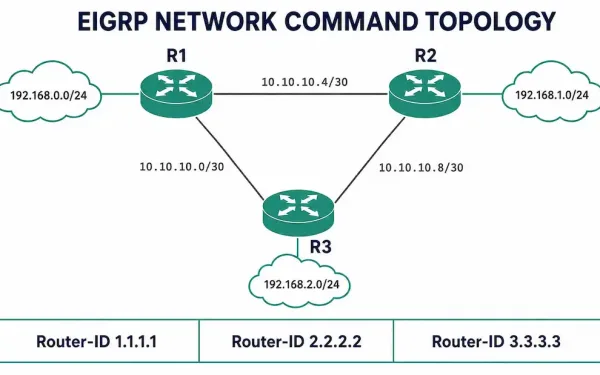
The EIGRP Network Command — Complete Configuration Guide
The network command is what actually turns EIGRP on. Configuring router eigrp <AS> only starts the EIGRP process — it does nothing on its own. Until you issue a network statement, EIGRP is not running on a single interface, and your router will not form a single neighbor adjacency. This article covers both ways to...
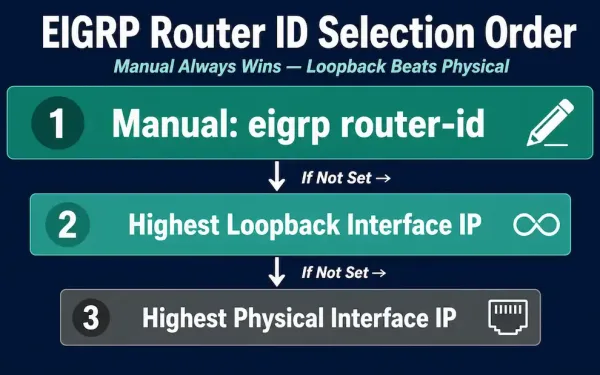
EIGRP Router ID: Selection Rules and Configuration
An EIGRP router ID is a 32-bit unique identifier assigned to each router in the EIGRP domain, represented in the same dotted-decimal format as an IPv4 address. This guide covers exactly how EIGRP selects a router ID automatically, how to configure one manually, a genuinely useful “sticky” behavior that catches people off guard when they...
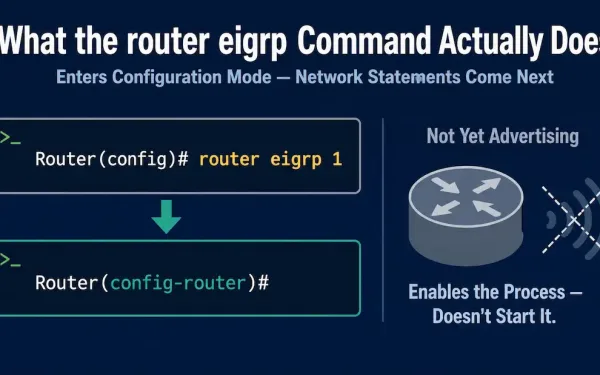
The “router eigrp” Command
The router command in global configuration mode is the starting point for configuring any dynamic routing protocol on Cisco IOS. This guide covers exactly what router eigrp does, its argument’s valid range, what it does and doesn’t accomplish on its own, the modern EIGRP Named Mode alternative worth knowing alongside it, and the small set...