
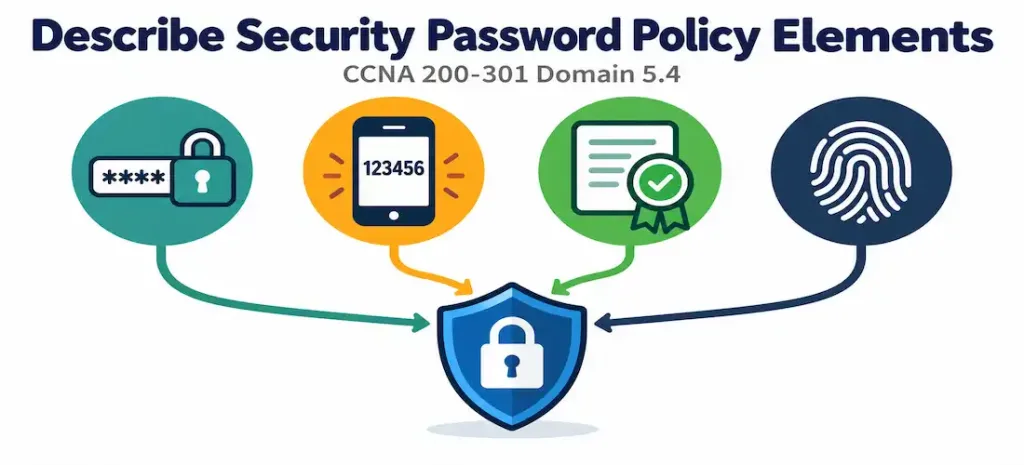
Domain 5.4 | Security Fundamentals — 15% of exam
Learning Objectives
By the end of this lesson, you will be able to:
- Describe the core elements of password management policy: rotation, complexity, length, and secure storage.
- Explain multifactor authentication (MFA) and the three factor categories it draws from.
- Describe how digital certificates provide an authentication mechanism distinct from passwords.
- Describe biometric authentication and the trade-offs involved in its accuracy.
- Explain why layering these elements together provides stronger protection than any single one alone.
Key Terms Glossary
| Term | Definition |
|---|---|
| Password management | Policies governing password rotation, complexity, length, and secure storage practices. |
| Multifactor authentication (MFA) | Authentication requiring more than one independent verification factor before granting access. |
| Knowledge factor | An authentication factor based on something the user knows, such as a password or PIN. |
| Possession factor | An authentication factor based on something the user has, such as a hardware token or phone-based authenticator. |
| Inherence factor | An authentication factor based on something the user is, such as a fingerprint or facial pattern. |
| Digital certificate | A cryptographically signed credential verifying identity, commonly used in VPN and 802.1X authentication. |
| Public Key Infrastructure (PKI) | The system of certificate authorities, certificates, and key pairs that makes certificate-based authentication possible. |
| False Acceptance Rate (FAR) | The rate at which a biometric system incorrectly accepts an unauthorized individual. |
| False Rejection Rate (FRR) | The rate at which a biometric system incorrectly rejects an authorized individual. |
Password Management: More Than Just “Pick a Strong Password”
Password management policy governs several distinct elements working together, and it’s worth understanding each rather than treating “password policy” as a single undifferentiated setting.
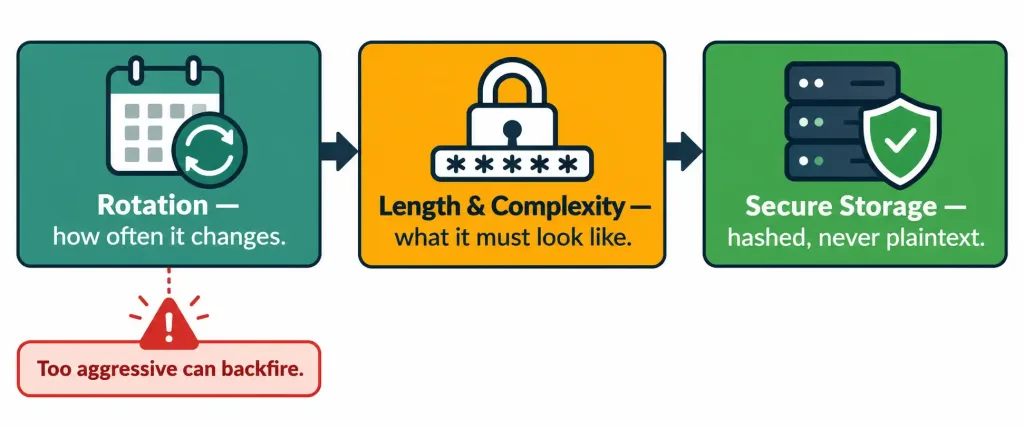
Rotation frequency governs how often a password must be changed. Minimum length and complexity requirements govern what a valid password actually has to look like — a minimum character count, and often a requirement to mix character types (uppercase, lowercase, numbers, symbols). Secure storage practices govern how passwords are actually kept once set — critically, never in plaintext configuration files or databases where avoidable, a principle directly connected to objective 5.3’s distinction between enable secret‘s strong one-way hash and enable password‘s weak, reversible obfuscation. That same principle scales up from a single device’s local configuration to an entire organization’s credential storage practices: passwords should be hashed, not merely encrypted or obfuscated, wherever they’re stored.
The Complexity and Rotation Trade-off
It’s worth noting a genuine nuance here, since password policy thinking has evolved considerably in recent years. Traditional guidance emphasized frequent mandatory rotation and maximal complexity requirements, but security research has increasingly found that overly aggressive rotation policies can backfire — users forced to change passwords frequently often respond with predictable, incremental variations (Password1, Password2, Password3) that are barely more secure than not rotating at all, or resort to writing passwords down somewhere insecure specifically because memorizing frequent changes becomes impractical.
Modern guidance from bodies like NIST has shifted toward emphasizing overall password length as a stronger security lever than either complexity or forced rotation alone, since a longer passphrase is often both easier to remember and harder to brute-force than a shorter, highly complex password that a rotation policy forces users to change constantly.
This doesn’t mean rotation and complexity requirements are without value entirely — they still matter, particularly rotation after a known or suspected compromise — but recognizing that “more frequent rotation” and “more complexity rules” aren’t automatically better in every dimension reflects current, more nuanced security thinking rather than the older, simpler guidance some documentation still reflects.
A concrete comparison makes this trade-off tangible and worth remembering. A password like P@ssw0rd1! technically satisfies most complexity requirements (uppercase, lowercase, number, symbol), yet it’s short enough and follows a common enough substitution pattern (@ for a, 0 for o) that automated cracking tools specifically account for these substitutions when guessing — it’s weaker than it looks.
A passphrase like correct horse battery staple (a well-known illustrative example from security research) contains no symbols or numbers at all, but its sheer length combined with the unpredictability of the specific word combination makes it dramatically harder to brute-force, while also being considerably easier for a human being to actually remember without writing it down. This is the practical heart of the length-over-complexity argument: the brute-force search space grows enormously with each additional character, in a way that a handful of complexity substitutions applied to a short base word simply can’t match.
Multifactor Authentication: Layering Independent Factors
Multifactor authentication (MFA) requires more than one independent verification factor before granting access, and its security benefit comes specifically from requiring an attacker to defeat multiple different types of factors rather than just one. The three classic factor categories are:
- Something you know — a knowledge factor, such as a password or PIN.
- Something you have — a possession factor, such as a hardware token, a smart card, or a phone running an authenticator app generating time-based codes.
- Something you are — an inherence factor, biometric authentication based on a physical characteristic.
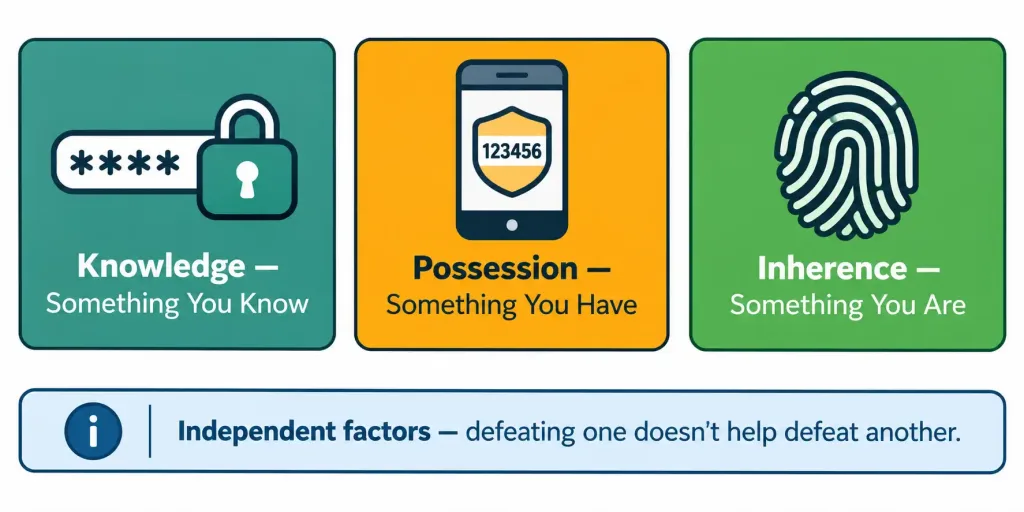
The security logic behind MFA is straightforward but important: a compromised password alone (a knowledge factor) is no longer sufficient for an attacker to gain access if a second, independent factor — say, a possession factor like a phone-based authenticator — is also required. The attacker would need to separately compromise both the password and physical or digital access to the second factor, which is considerably harder than compromising a password through phishing or a data breach alone. This significantly raises the practical difficulty of a successful credential compromise, even though it doesn’t make compromise impossible.
Why “Independent” Factors Matter Specifically
The word “independent” in the MFA definition carries real weight and is worth dwelling on. Requiring two passwords, or a password plus a security question whose answer could plausibly be found through the same research or phishing effort that compromised the password itself, doesn’t provide genuine multifactor protection — both “factors” are really just variations of the same knowledge-based vulnerability, defeatable by the same attack technique.
True MFA security comes from combining factors that require fundamentally different attack approaches to compromise: defeating a knowledge factor typically means guessing, phishing, or data-breach exposure, while defeating a possession factor typically means physical theft, SIM hijacking, or malware on the specific device holding that factor. An attacker skilled at one approach isn’t automatically equipped for the other, which is exactly the protection layering is meant to provide.
MFA Isn’t Universally Bulletproof
It’s worth being precise rather than overselling MFA’s protection, since real attacks specifically targeting MFA weaknesses do exist and are worth recognizing. SMS-based MFA (receiving a code via text message) is vulnerable to SIM swapping, where an attacker convinces a mobile carrier to transfer a victim’s phone number to a device the attacker controls, effectively hijacking that possession factor.
Push-based MFA (approving a login via a phone notification) is vulnerable to MFA fatigue attacks, where an attacker repeatedly triggers push notifications hoping a user eventually approves one out of frustration or confusion rather than recognizing it as an active attack. These aren’t reasons to avoid MFA — MFA still meaningfully raises the bar compared to password-only authentication — but recognizing that different MFA implementations carry different specific weaknesses is more accurate than treating “MFA” as a single uniform, unbreakable solution.
Digital Certificates: Authentication Beyond Passwords
Digital certificates provide an authentication mechanism structurally different from a password entirely. Rather than proving identity through a shared secret (which a password fundamentally is), a certificate proves identity through cryptographic key pairs and a trusted third party — a Certificate Authority (CA) — that has verified and vouched for the certificate holder’s identity.
This is conceptually related to the RSA key pair discussed in objective 4.8’s SSH configuration: both rely on asymmetric cryptography, where a public and private key pair mathematically relate to each other such that something encrypted or signed with the private key can be verified using the corresponding public key, without the private key itself ever needing to be transmitted or exposed. Certificates extend this concept by adding a trusted third party’s verification, allowing one party to trust another’s identity without any prior direct relationship, as long as both trust the same issuing Certificate Authority.
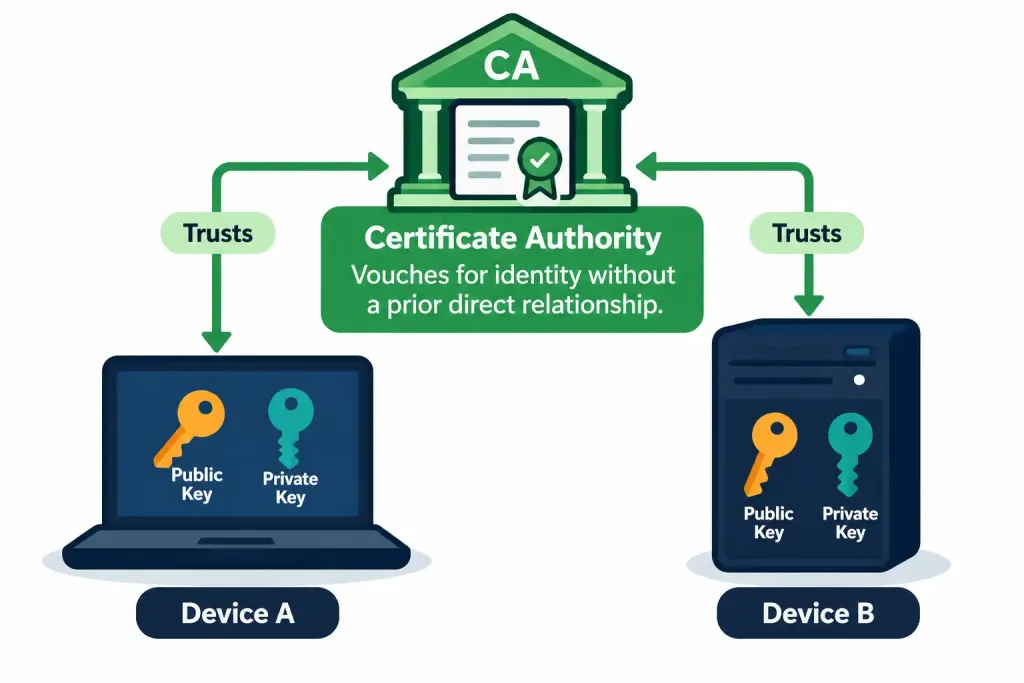
Certificates are commonly used in scenarios involving device or user identity verification beyond simple human login: site-to-site VPN authentication, where two network devices need to verify each other’s identity before establishing an encrypted tunnel, and 802.1X, where a device connecting to a network authenticates using a certificate rather than (or in addition to) a username and password. Certificates offer a genuine advantage over passwords in these contexts: they can’t be “guessed” through brute force the way a weak password might be, and they don’t rely on a human correctly remembering and entering a credential at all, making them well suited to automated, machine-to-machine authentication scenarios.
Certificate Lifecycle: Expiration and Revocation
Unlike a password, which typically remains valid indefinitely until manually changed, a certificate is issued with a defined validity period and expires automatically once that period ends, requiring renewal. This built-in expiration is itself a security feature — it limits how long a compromised or outdated certificate can remain usable, without requiring an administrator to remember to manually rotate it the way password rotation policy requires for passwords.
Certificates can also be actively revoked before their natural expiration if a private key is compromised or an employee’s device is decommissioned, through mechanisms like a Certificate Revocation List (CRL) that relying parties check before trusting a presented certificate. This revocation capability is a meaningful advantage certificates offer over static, long-lived passwords: a compromised password requires someone to notice the compromise and manually change it, while a revoked certificate is immediately and automatically untrusted by any system correctly checking revocation status going forward.
Biometrics: Authentication Tied to Physical Characteristics
Biometric authentication — fingerprint scanning, facial recognition, retina scanning, and similar physical-characteristic-based methods — provides an inherence factor that’s inherently difficult to share, lose, or forget the way a password or even a physical token could be. This makes biometrics attractive for scenarios demanding strong assurance that the specific individual presenting for authentication really is who they claim to be.
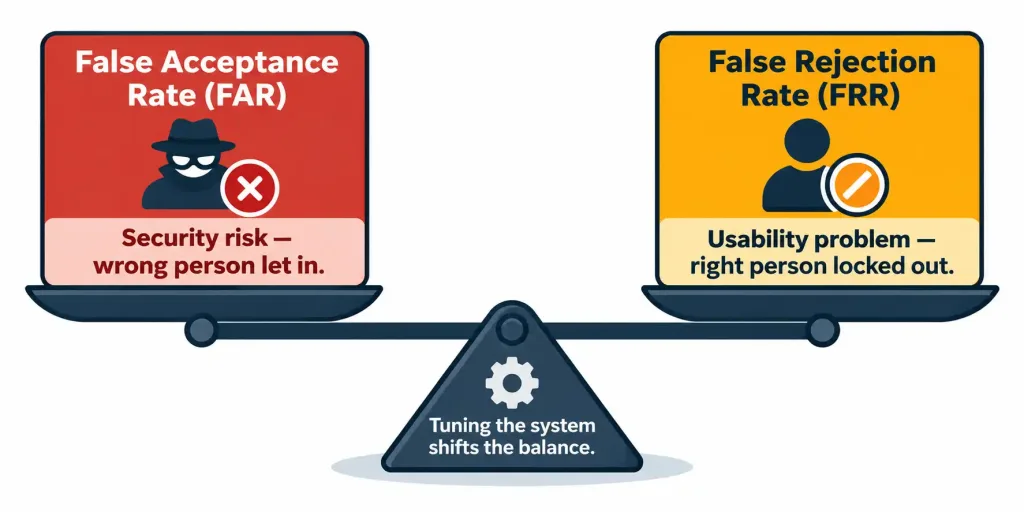
Biometric systems aren’t perfectly accurate, and understanding their accuracy trade-off is worth knowing precisely. False Acceptance Rate (FAR) measures how often the system incorrectly accepts someone who shouldn’t be authenticated — a security failure, since an unauthorized person gains access. False Rejection Rate (FRR) measures how often the system incorrectly rejects someone who should legitimately be authenticated — an availability and usability failure, since a legitimate user is denied access they should have.
These two rates typically trade off against each other: tuning a biometric system to be more strict (reducing FAR, improving security) tends to increase FRR (more frustrating false rejections for legitimate users), and loosening the system to reduce FRR tends to increase FAR. No biometric system achieves zero on both simultaneously, and choosing the appropriate balance depends on the specific security context and how costly each type of error would be.
Why Layering These Elements Matters
None of password management, MFA, certificates, or biometrics needs to be chosen exclusively at the expense of the others — in practice, a comprehensive authentication strategy layers several of these together, and this connects directly back to the CIA triad and defense-in-depth principles from objective 5.1. A strong, well-managed password (knowledge factor) combined with a possession-factor authenticator app, protecting access to a system that itself uses certificate-based authentication for its own device-to-device communications, represents layered protection where a single compromised element doesn’t automatically compromise the whole chain — directly supporting the confidentiality leg of the CIA triad by making unauthorized access substantially harder to achieve through any single point of failure.
Consider a realistic enterprise scenario tying all four elements together: an employee logs into a corporate VPN client using a strong, adequately long password (password management) and a push-approval on a phone authenticator app (MFA’s possession factor). The VPN client itself authenticates the underlying device to the corporate gateway using an installed device certificate (certificate-based authentication), independent of the employee’s own login.
A separate, highly sensitive facility additionally requires a fingerprint scan (biometric inherence factor) before granting physical entry to a server room once remote access has already been established. No single one of these four controls is doing all the work — an attacker who somehow obtained the employee’s password still faces the possession factor; an attacker who cloned the device certificate still faces the employee’s own credentials; and physical access to the most sensitive equipment requires a factor that can’t be phished, stolen, or guessed at all. This is what “layering” concretely looks like in a working environment, rather than as an abstract principle alone.
Common Misconceptions
- “More frequent password rotation is always more secure.” Overly aggressive rotation policies can backfire, prompting predictable incremental password changes or insecure workarounds like writing passwords down — modern guidance emphasizes length as a stronger lever than forced frequent rotation alone.
- “MFA makes an account impossible to compromise.” MFA significantly raises the difficulty of compromise but isn’t universally bulletproof — SIM swapping and MFA fatigue attacks specifically target weaknesses in certain MFA implementations.
- “Digital certificates and passwords serve the same purpose, just implemented differently.” A password is a shared secret; a certificate relies on asymmetric cryptography and a trusted third-party Certificate Authority, making it structurally different and suited to different use cases, particularly automated machine-to-machine authentication.
- “A biometric system with zero false acceptances is achievable with the right tuning.” FAR and FRR trade off against each other — reducing one tends to increase the other, and no practical biometric system eliminates both simultaneously.
- “Password complexity requirements alone guarantee a strong password.” A complex-looking password that’s short, or a password that satisfies complexity rules but follows a predictable pattern, can still be weaker in practice than a longer, simpler passphrase — length and unpredictability matter more than satisfying complexity rules in isolation.
Frequently Asked Questions
Is SMS-based MFA still worth using despite its SIM-swapping vulnerability? Generally yes, in the sense that it’s still meaningfully better than no second factor at all — but for higher-security scenarios, an authenticator app or hardware token avoids this specific weakness and is the preferable choice where available.
Can certificates be used alongside a password rather than replacing it entirely? Yes — certificate-based authentication can serve as one factor in a broader MFA scheme, or can authenticate the device itself while a separate credential authenticates the individual user, depending on the specific deployment’s needs.
Why would an organization choose a possession factor over a biometric inherence factor for MFA? Possession factors (tokens, authenticator apps) are generally easier and less expensive to deploy at scale, don’t raise the same privacy considerations biometric data collection can raise, and are simpler to revoke and reissue if lost or compromised, compared to a biometric characteristic which cannot be “reissued” the way a lost token can be replaced.
Does a Certificate Authority need to be an external, third-party organization? No — organizations commonly run their own internal Certificate Authority for issuing certificates used entirely within their own network, without needing to rely on a public, externally trusted CA for internal-only use cases.
How does password policy relate to the broader security program elements from objective 5.2? Password policy is a technical control, but its effectiveness depends heavily on user awareness and compliance — a strong policy poorly understood or resented by users can produce the same workaround behaviors (written-down passwords, predictable patterns) that undermine the policy’s intent, reinforcing why technical policy and the user training covered in objective 5.2 need to work together rather than in isolation.
What happens if a system doesn’t actually check certificate revocation status? The security benefit of revocation is lost in practice — a system that trusts any certificate signed by a recognized Certificate Authority without checking whether it’s since been revoked will continue accepting a compromised or decommissioned certificate exactly as if nothing had changed, which is why revocation checking (via a CRL or the more modern Online Certificate Status Protocol) is an essential, not optional, part of a properly functioning PKI deployment.
Security Password Policy Elements: Practice Quiz
Test your knowledge of password rotation, MFA, digital certificates, biometrics, and layered authentication.
Summary
- Password management policy encompasses rotation frequency, minimum length and complexity, and secure storage practices — modern guidance increasingly emphasizes length over aggressive rotation or complexity rules alone, since overly strict policies can backfire into predictable patterns or insecure workarounds.
- A long, unpredictable passphrase generally outperforms a short, complex-looking password against real-world brute-force cracking, even without symbols or numbers involved.
- MFA requires multiple independent factors — knowledge (something you know), possession (something you have), and inherence (something you are) — significantly raising the difficulty of a successful compromise, though specific implementations like SMS-based MFA and push notifications carry their own known weaknesses that are worth recognizing rather than assuming MFA is uniformly bulletproof.
- Digital certificates authenticate through asymmetric cryptography and a trusted Certificate Authority rather than a shared secret, making them well suited to site-to-site VPN authentication, 802.1X, and other machine-to-machine authentication scenarios — and unlike a static password, a certificate carries a built-in expiration and can be actively revoked if compromised.
- Biometric authentication trades off False Acceptance Rate against False Rejection Rate — no system eliminates both simultaneously, and the appropriate balance depends entirely on the specific security context and how costly each type of error would actually be in practice.
- Layering password management, MFA, certificates, and biometrics together — rather than relying on any single element in isolation — reflects the defense-in-depth principle from objective 5.1, directly supporting the confidentiality leg of the CIA triad.



